


















TL;DR
Maze is the best all-around Askable alternative for enterprise teams, pairing a complete suite of user research methods with a comprehensive participant recruitment panel, customizable reporting, and a wide range of native integrations.
But Maze isn't the only alternative worth considering. For example, if your main priority is card sorting alone, consider Optimal. If you're looking for longitudinal studies, Dscout could be a good fit. And a tool like Outset lets you evaluate how trustworthy your AI-powered features are.
We look at these Askable alternatives and more below, as well as what you should consider when finding the right one for your team and workflow.
Askable is an AI-powered user research platform made for UX, product, and design teams. It offers both moderated and unmoderated tools for interviews, prototype tests, click tests, and surveys, as well as support for automated participant recruitment. However, it’s not the only platform with these capabilities, and users report some considerable drawbacks.
In this article, we cover seven Askable alternatives to consider, complete with pros, cons, pricing, and how they compare to Askable.
Why teams look for an Askable alternative
Askable gives teams plenty to work with across recruitment, interviews, and research analysis. But as research needs grow or change, some teams may want different workflows, capabilities, or levels of flexibility.
Pricing requires a custom quote
Askable offers custom pricing based on your team’s research needs. Its pricing page outlines what’s included, such as unlimited participants, unlimited team seats, and access to all features, so teams can get a sense of what they’re paying for.
However, it doesn’t provide a public starting price or pricing range. It also doesn’t offer a free plan to get a taste of the platform before upgrading to a paid plan.
You’ll need to contact Askable for a quote, so comparing costs across platforms or checking budget fit takes a little more work.
Global recruitment may be less extensive
Askable gives you access to participants across 50+ countries, with particularly established participant pools in the US, UK, Australia, and New Zealand. It also supports multi-country recruitment within the same study and can source participants outside its existing panel when needed.
But if your team regularly runs research across a wider range of countries, Askable’s geographic reach may not cover every market you need.
Maze, in comparison, offers participant recruitment across 130+ countries for unmoderated studies and 150+ countries for interviews. For global research teams, that gives you access to more markets from the same platform.
Screener questions don’t support branching logic
Askable lets you qualify or disqualify applicants based on their screener answers and ranks participants by eligibility. However, its screeners don’t support branching or skip logic, so every applicant sees the same questions in the same order.
So If you’re recruiting different participant groups, you can’t show each group different follow-up questions based on their previous answers. Instead, you may need to include options such as 'Not applicable' for questions that aren’t relevant to everyone.
For teams with more complex recruitment criteria, this can make screeners longer and less tailored to each participant.
Now that you know where Askable may not meet every team’s needs, let’s look at seven alternatives and where each one fits best.
Top 7 Askable alternatives
Here’s a quick overview of the best Askable competitors before we dive into each one-by-one.
Best for… | G2 rating | Pricing | |
|---|---|---|---|
Maze | Teams running continuous discovery across the full development cycle | 4.5/5 | Free plan available, Custom pricing for Enterprise plans (with unlimited seats) |
Lookback | Teams looking for a tool to help with a one-off study initiative | 4.3/5 | Starts at $299/year for Freelance plans |
UserTesting | HIPAA-regulated industries, like healthcare, needing compliant video testing | 4.4/5 | Custom pricing |
Optimal | Teams whose primary focus is information architecture, card sorting, and tree testing | 4.3/5 | Starts at $199/month (billed annually) and comes with 5 studies launched per year |
Outset | Teams that need to evaluate their AI-powered features or products with users | Not yet listed on G2 | Custom pricing |
ListenLabs | Teams that need to build deliverables from research, such as video-highlight reels expressing user sentiment or slide-decks | Not yet listed on G2 | Custom pricing |
Dscout | Teams running longitudinal diary studies and in-the-wild mobile ethnography research | 4.5/5 | Custom pricing |
1. Maze
Maze is an AI-first, end-to-end user research platform for moderated and unmoderated, qualitative and quantitative research. Teams can run researcher-led and AI-moderated interviews, prototype tests, live website and mobile tests, surveys, card sorting, tree testing, and usability studies—including tests on AI-generated prototypes.
Alongside these methods, Maze AI optimizes the research workflow with a suite of AI capabilities. These include an AI study builder, dynamic follow-up questions for unmoderated studies, findings summaries for reporting, and more.
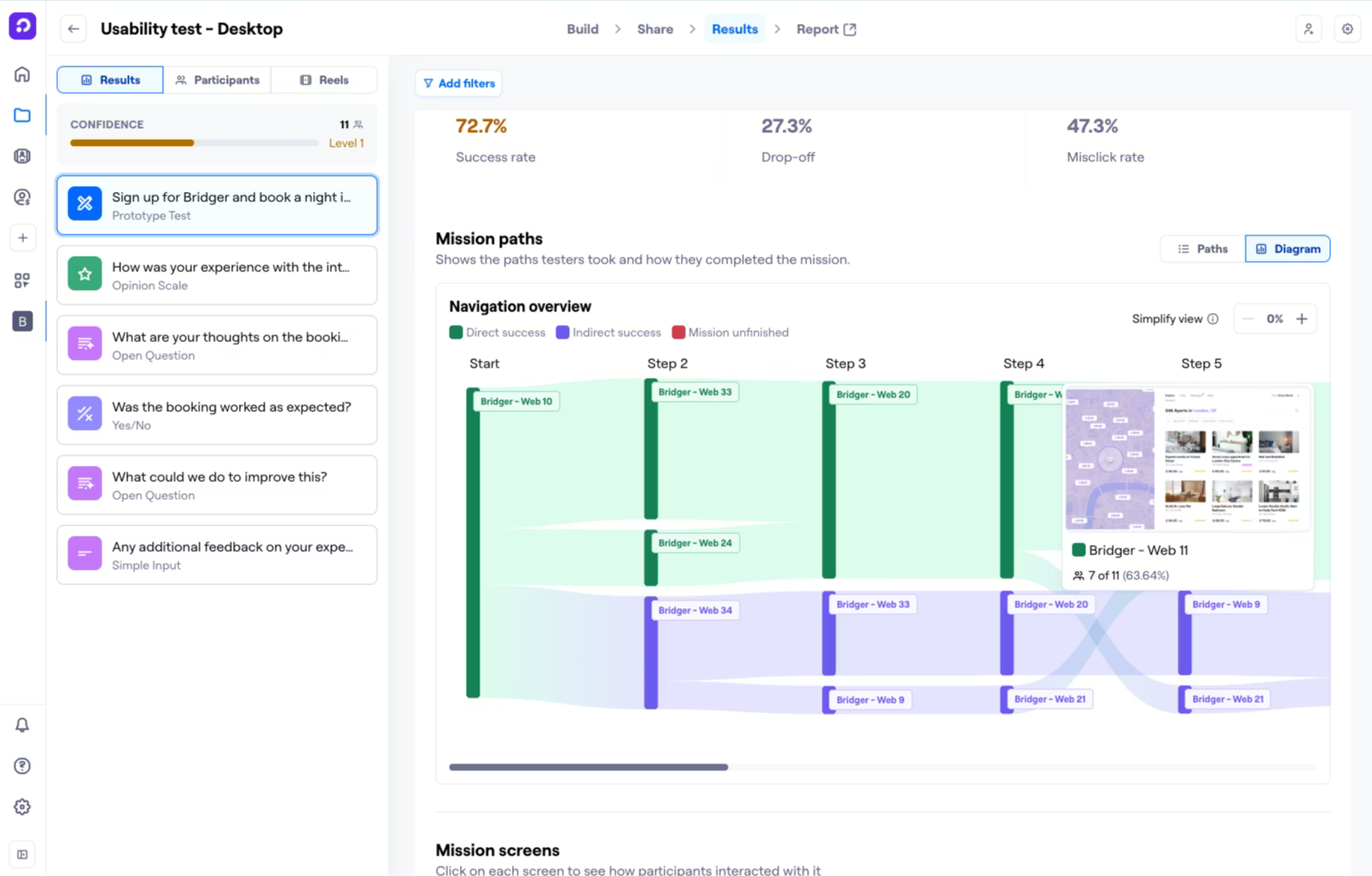
As a holistic UX research platform, Maze goes beyond user testing—offering participant recruitment and premium recruitment management solutions, a wide selection of native integrations, and shareable, customizable reports.

Pros
- Comprehensive research methods: Including moderated and unmoderated UX research methods such as interviews, surveys, prototype testing, live website testing, and mobile testing.
- Panel recruitment: Find the right audience fast with a marketplace of vetted panel providers, giving you the flexibility to match participants to purpose.
- Research partners: Access a dedicated team of research partners supporting your organization’s research initiatives.
- AI capabilities across the workflow: Including Maze AI, which helps you highlight critical learnings, automate project naming, and create the perfect bias-free questions. Maze’s AI moderator steps in to run user interviews around the clock, taking studies from planning to analysis based on your research goals. Maze also offers an AI study builder to generate complete, launch-ready studies from a short description of what you want to learn.
- Automated reporting and analysis: Turn study results into automatically generated, customizable reports with usability metrics, heatmaps, path analysis, AI-powered themes and summaries, and shareable findings.
- Maze MCP: With the Maze MCP, you can bring research into Claude, ChatGPT, Gemini, Copilot, Cursor, and other MCP-compatible tools to search studies, analyze findings, and ask questions about participant responses directly within your AI workflow.
- Enterprise-grade security and AI guardrails: SOC 2 Type II, ISO 27001, and GDPR certified, hosted on AWS infrastructure inside a private cloud, with data encrypted both in transit and at rest (AES-256, TLS 1.2). Team owners can enable or disable individual AI features per team from the Control Panel, and Maze never trains its models on your research data.
- Built for cross-team collaboration: Unlimited seats, role-based permissions, and native integrations with Figma, Jira, and Slack put insights directly in front of whoever needs them—research, design, product, leadership—without anyone waiting on a researcher to share a report.
- Ample integrations: Connect Maze with your favorite tools, such as Figma, Slack, and Amplitude, to share insights across your team and incorporate user feedback into your design and development processes. Integrations with Figma and AI prototyping tools like Figma Make, Bolt, and Lovable make it a complete, scalable solution for modern research workflows.
Cons
- Screen sharing on mobile: AI moderator is currently available for desktop, but not mobile
Pricing
Free | Enterprise |
|---|---|
| Custom pricing
|
Maze vs. Askable
Both Maze and Askable offer a similar selection of moderated and unmoderated UX research methods. The core difference is in the features of each method. For example, Maze offers screener logic, making it easier to filter participants through qualifying and disqualifying questions, while Askable doesn’t have this option for participant recruitment.
Maze Clips also automatically records audio and video during interviews and usability tests, while Askable doesn’t. Maze connects natively with Zoom, Google Meet, and Microsoft Teams for interview scheduling and recording. This makes Maze the winner for enterprise teams because it gives admins the granular control that scale actually requires.
2. Lookback
Lookback is a qualitative and quantitative research platform that supports both moderated and unmoderated research through various methods such as interviews, usability tests, prototypes, and live website testing,
Like many of the tools on this list, Lookback offers a suite of AI capabilities to help streamline the research process. These capabilities include AI search for locating specific insights across sessions, intelligent follow-up questions for unmoderated research, smart headlines for easily scanning research transcripts, and more.

Pros
- Moderated and unmoderated research: While Lookback doesn’t offer the most comprehensive array of research methods on this list, it definitely ticks a lot of important boxes. Moderated interviews, surveys, and prototype usability testing make it a strong start for teams looking to do more research.
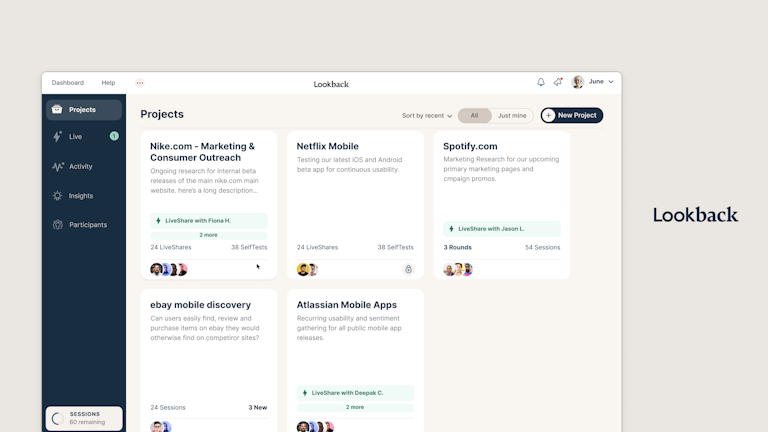
- Real-time collaboration: Stakeholders can observe sessions live, creating an ‘observation room’ environment for moderated research. For anyone who can’t make the live session, real-time collaborative note-taking is time-stamped directly to the video, making it easy to share specific session moments with stakeholders.
- Strong AI capabilities across research workflows: Lookback supports the research workflow with a variety of AI functionalities, especially when it comes to interviews. These include instant note-taking so you can focus on interviewing, goal generation and smart headlines for insights at a glance, and automated analysis following interviews.
Cons
- No AI moderator: Lookback doesn’t currently offer an AI-moderated interview functionality—only researcher-led user interviews
- iOS issues: iOS sessions frequently experience connectivity problems even when the participant's connection is otherwise fine
- User Interviews panel: Participant recruitment by Lookback is powered by User Interviews alone
Pricing
Freelance | Team | Insights hub | Enterprise |
|---|---|---|---|
$299/year | $1,782/year | $4,122/year | Custom pricing |
|
|
|
|
Lookback vs. Askable
Lookback edges out Askable for teams running primarily qualitative, moderated research; its session environment, live observation features, and recording quality are more purpose-built for that specific use case than Askable's broader, all-in-one approach.
However, if you are looking for a more comprehensive user research solution, other alternatives on this list are likely a better fit.
3. UserTesting
UserTesting is a research tool known for its large, vetted participant network and enterprise-grade capabilities. The platform processes video, audio, text, and behavioral data to surface contextual insights with AI capabilities. It also includes sentiment and intent analysis, friction detection, and an AI Insight Summary feature that synthesizes verbal and behavioral data across multiple video sessions. It's the heavyweight option for larger organizations that need breadth, scale, and AI-assisted analysis under one roof.

Pros
- Many enterprise capabilities: Onboarding and insight services, an extensive global participant panel, and unlimited-user licensing models available for large organizations
- Range of native integrations: UserTesting integrates with a lot of the tools you already use, including Figma, Canva, Slack, and Miro
- Strong user support: Users highlight the helpful and responsive customer support team at UserTesting
- Global panel: UserTesting’s research panel includes participants all over the world, making it easy to test products with different demographics and audiences
Cons
- Participant quality: Some users note that participant quality can vary significantly due to its popularity as a side hustle. Participants race through tests and impact the quality of insights.
- Fragmented experience: UserTesting has faced criticism for a fragmented experience following multiple acquisitions, with some users noting that tools can be hard to find and understand.
- Expensive: UserTesting is one of the more expensive options on the market.
Pricing
UserTesting offers custom pricing, so you’ll need to contact their team for an exact quote. You can opt for test-based consumption, to pay based on usage, or team-based unlimited, for unlimited tests at a fixed Enterprise fee. Once you’ve chosen your preferred pricing approach, you can select a plan depending on the features you need:
Advanced | Ultimate | Ultimate + |
|---|---|---|
|
|
|
UserTesting vs. Askable
UserTesting wins for large enterprises with serious compliance and security needs. However, this comes with a hefty price tag, so if you’re a smaller team, you might want to consider sticking with Askable or opting for another option on this list.
4. Optimal (Formerly Optimal Workshop )
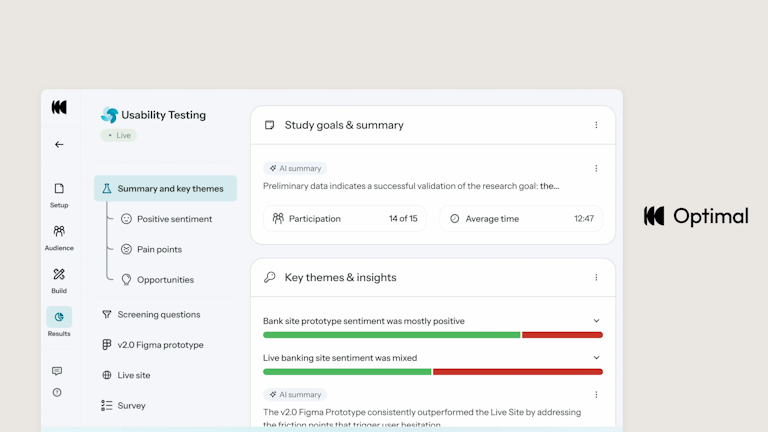
Optimal—once a user research platform primarily focusing on information architecture—is now a comprehensive research platform that offers research methods across the design and development process. Building on its initial offering of card sorting and tree testing, Optimal now offers team solutions for live site testing, surveys, interviews, and prototype testing.
Pros
- Many information architecture research methods available: Optimal has been a trusted information architecture research platform for over a decade, with specialized tools like card sorting and tree testing that help teams make data-driven recommendations about site navigation and content structure. If this is your main focus, Optimal offers a great solution.
- Expanding offering: Optimal’s growing list of capabilities highlights its commitment to developing its offerings. While it’s not as comprehensive as other tools on this list, it meets many research needs.
- Ease of use: Users often highlight Optimal as an intuitive platform to use.
Cons
- Recruitment issues: Participant quality from the recruitment panel can be inconsistent, with some reviewers reporting responses completed suspiciously quickly and requiring significant time to audit for genuine engagement.
- Feature limitations: While prototype testing and surveys are available, they offer less developed functionality than specialist tools, often lacking features such as advanced survey logic.
- No AI moderator: Optimal doesn’t offer an AI-moderated interview solution, which is an important feature for many teams.
Pricing
All pricing plans are billed annually.
Starter | Enterprise |
|---|---|
$199/month | Custom pricing |
|
|
Optimal vs. Askable
Optimal pulls ahead of Askable for teams where information architecture is the core research focus, with more mature and deeply developed card sorting, tree testing, and IA-specific tooling. One major consideration for future-focused teams, however, is the lack of an AI-moderated interview solution. Optimal could also be considered ‘late to the game’ in rolling out other research methods—like prototype testing and usability testing—meaning other tools on our list have had more time to refine their offerings.
5. Outset
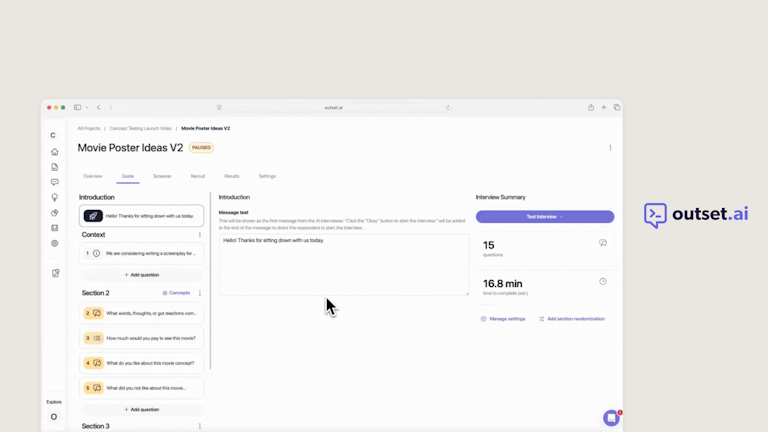
Outset is an AI-moderated research platform for running qualitative research at scale. Its AI interviewer conducts voice, video, and text-based conversations, asks follow-up questions, and synthesizes findings, while the platform also supports usability testing, concept and creative testing, market research, diary studies, UX Evals for AI products, and participant recruitment through integrated panel providers.
Pros
- End-to-end AI-moderated research: Outset’s primary offering is AI-moderated interviews, which you can combine with other research methods—like usability testing and concept testing.
- UX evals make it easier to test AI-powered features for trustworthiness: Developed alongside Microsoft’s Copilot team, UX evals help teams understand how users experience AI products in the real world. This is a standout feature if your product is AI-centric.
- Dynamic AI probing: Outset’s AI interviewer adapts its follow-up questions to what each participant says, helping researchers get more context behind an initial response.
- Enterprise-grade security: Outset is SOC 2 Type II, GDPR, and HIPPA compliant, and guarantees than your data is never used to train external models.
Cons
- Limited independent review data: Outset has an established enterprise customer base, with published stories from teams at Microsoft, HubSpot, Away, Glassdoor, and others. However, there’s still little independent review data available on major software review platforms.
- Fewer dedicated UX testing methods: Outset is centered on AI-moderated research rather than offering standalone tools for every UX method. Teams that regularly run methods such as card sorting or tree testing may still need another research tool alongside it.
- No built-in researcher-led interview workflow: You can upload researcher-led interviews for analysis, but Outset doesn’t have built-in tools for scheduling and conducting live researcher-led interviews.
Pricing
Outset does not publicly disclose its pricing, meaning teams need to contact it for a direct quote.
Outset vs. Askable
Outset wins for teams that specifically need rapid AI-moderated qualitative interviews at scale, delivering qualitative depth at quantitative speed. For teams looking for a breadth of research methods, other solutions on the list might be a better fit.
💡 Want a closer look at how Maze and Outset compare? Read our detailed Maze vs. Outset comparison for a side-by-side look at AI moderation, research methods, participant recruitment, reporting, and pricing.
6. Listen Labs
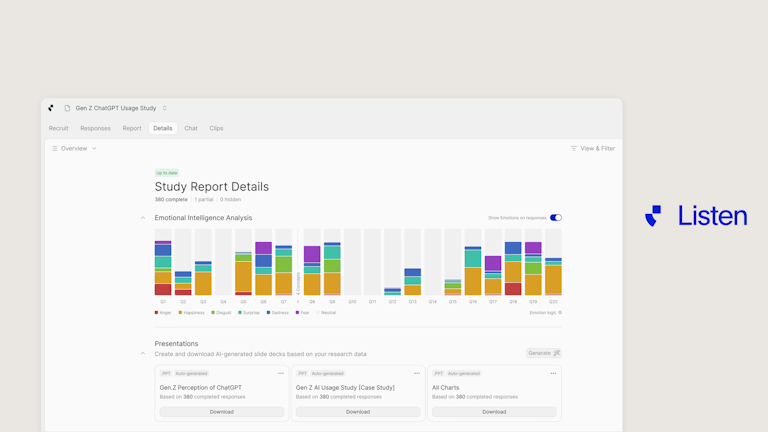
Listen Labs is an AI-first research platform that handles the full research lifecycle, from participant recruitment and AI-moderated interviews to analysis and reporting. What sets it apart from other AI tools is its attention to emotional signals: Listen Labs monitors tone, face, and diction to detect nuanced human emotions. Plus, all decisions are fully traceable, so you can see where and why Listen Labs detected specific emotions.

Pros
- Emotional Intelligence analyzes sentiment in-depth: Listen Labs’ strength lies in emotional analysis. AI-powered sentiment analysis highlights how users feel with multi-signal emotion detection that analyzes expressions, tone of voice, and word choice. All insights are fully traceable and built to enable easy comparison.
- AI agent support: The Research Agent automates analysis, removing the manual synthesis bottleneck that slows traditional research teams. You can interact with the Research Agent to get the insights you need fast.
- Store insights from past studies: ListenLab’s mission control repository offers a centralized, cross-study knowledge base, so qualitative insights compound rather than remain in separate files.
Cons
- Lacks some research methods: Listen Labs isn’t a comprehensive research platform. It lacks dedicated solutions for human-led interviews, surveys, card sorting, and more.
- Heavily AI-focused: Listen Labs’ solutions are AI-centric. Best practice requires you check AI outputs for accuracy, meaning you might not save as much time as promised.
- No reviews: Similarly to Outset, Listen Labs lacks online reviews. This makes it difficult to ascertain real user reception.
Pricing
Listen Labs offers custom pricing based on your research needs, usage, and scale.
Listen Labs vs. Askable
Listen Labs’ greatest strength is its attention to emotional insights, meaning teams can conduct in-depth sentiment analysis through tone of voice, facial expressions, and word choice. However, Askable offers a wider range of user research methods.
If you need in-depth insights based on interviews, go with Listen Labs. If you need a wider range of UX research methods like prototype testing, card sorting, and usability testing, then Askable or another alternative is the better choice.
💡 Want to compare your options? See how Listen Labs compares with Maze across research methods, AI capabilities, recruitment, reporting, and pricing in our Maze vs. Listen Labs comparison.
7. Dscout
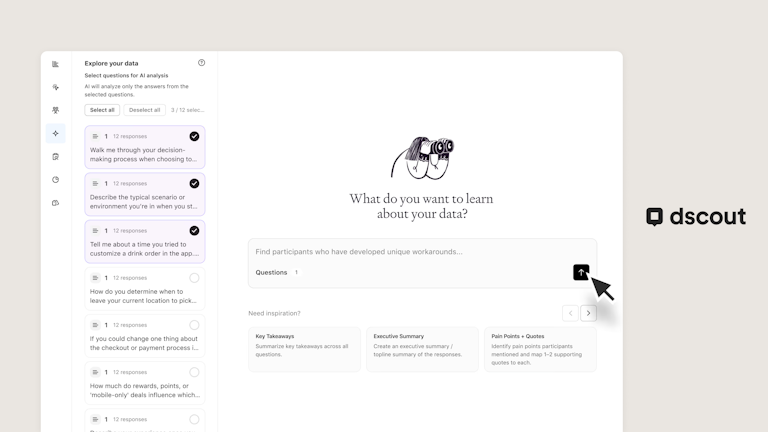
Dscout is a multi-method user research platform with particular depth in longitudinal and in-context research. Teams can run diary and field studies, interviews, usability tests, media-rich surveys, intercepts, card sorting, and tree testing, while Dscout AI Studio supports study creation, AI moderation, and analysis. If Maze and Dscout are both on your shortlist, Dscout is ideal for diary and field research, while Maze covers more day-to-day product discovery and usability testing workflows.

Pros
- Real-time intercepts: Intercept opted-in participants as they browse your site. Always on, always prompting visitors for feedback and specific research opportunities.
- Dedicated diary and field studies: Dscout supports multi-part diary studies and field research across mobile and desktop, making it particularly useful when you need to understand behaviors and experiences over time rather than in a single session.
- AI support across the research workflow: Dscout AI Studio can draft studies from a research goal, Figma prototype, or URL, moderate sessions with dynamic follow-up questions, and generate themes, summaries, and answers from collected research data.
Cons
- Some screeners require pre-launch review: Many Dscout studies can launch without a review, but there are exceptions. Partner Panel screeners always require review, while screeners with more than 20 questions must also go through a Dscout Research Advisor. Dscout says Partner Panel reviews typically take one to two business days, so teams working to a tight launch date need to account for that step.
- Limited screener flexibility with Partner Panels: If you recruit through Dscout’s third-party Partner Panels, you won’t get the full range of screener options available elsewhere in the platform. Piping logic isn’t supported, and screeners can’t include ranking, photo, video, or screen-recording questions.
- AI analysis doesn’t cover every question type: Dscout offers AI summaries and theme detection across several study types, but its AI analysis currently doesn’t support card sort questions. Teams using card sorting will need to analyze those results using Dscout’s standard card-sort views instead.
Pricing
Dscout offers three plans, each with custom pricing.
Core | Select | Enterprise |
|---|---|---|
| Everything in Core, plus:
| Everything in Core and Select, plus
|
Dscout vs. Askable
Dscout is better for teams seeking to complete longitudinal research. Its diary study methodology and in-the-wild behavioral capture are purpose-built to track real-world user behavior over time. Askable is a broader platform: one tool covering interviews, unmoderated testing, card sorting, and diary studies together, instead of a single-purpose.
Dscout edges ahead because of its panel of 530,000 highly expressive participants, primarily based in the US; the specific region where Askable’s panel falls short. However, if you’re looking for more comprehensive research solutions plus broader panel coverage, a different solution is likely a better fit for your team.
What to look for in an Askable alternative
Now you’ve got seven Askable alternatives to choose from, it’s a matter of narrowing it down to find the best fit for your team. When evaluating each tool, here are the top considerations to keep in mind:
- AI capabilities: AI-powered doesn't mean the same thing across platforms; check whether AI moderation is self-serve or gated behind a managed delivery tier, and whether it's a mature feature with a track record or still in beta.
- Recruitment model: Understand whether a platform runs a curated, verified panel, an open marketplace, or relies on you bringing your own participants. Each comes with different tradeoffs in quality control, turnaround time, and cost predictability.
- Geographic coverage: If your product serves a global audience, the recruitment panel needs to match. Check where a platform's participant supply is strongest before assuming ‘global panel’ means equal coverage across every region.
- UX research methods: The more methods a single platform supports—such as moderated interviews, unmoderated tests, prototype testing, card sorting, tree testing, surveys—the less you'll need to stitch together a multi-tool stack and manage the friction that comes with it.
- Speed of development: You don’t want to have to switch tools again in 18 months. The UX research market is experiencing a lot of development, and you want a tool that keeps up. Look for a tool that not only offers comprehensive features, but also new features. Otherwise, you’ll be back at the drawing board before you know it.
Which is the best Askable alternative?
Among the tools we’ve mentioned, Maze is the best Askable alternative for a couple of reasons. Firstly, it’s the only tool that covers the entire UX research lifecycle with a suite of comprehensive methods. Maze also offers a truly global platform alongside a range of AI-powered features, such as an AI study builder and AI moderator, built to make every step of the insights process faster.
Alongside Maze, two other tools stand out for teams with more specific needs.
If your research program is built around longitudinal behavioral studies that track how users interact with a product over days or weeks in their real environment, Dscout is the one for you. It offers dedicated solutions for longitudinal research and is rolling out a suite of AI capabilities to keep up with research needs.
If your team runs primarily live, moderated, qualitative sessions and already has a participant pool to work with, Lookback's purpose-built interview environment, real-time observation features, and session recording quality make it a strong option.
AI-powered user research with Maze
Maze is an AI-first, end-to-end user research platform that supports teams throughout the research, design, and development process. From study conception and participant recruitment through to analysis and reporting, Maze offers research solutions for every step of the research workflow.
Maze AI enables teams to plan and automate interviews, generate follow-up questions, summarize findings, and identify key themes, while AI-driven integrations with Figma Make, Bolt, and Lovable make it a complete solution for modern research workflows.
Whatever your reason for looking beyond Askable— whether it’s panel coverage gaps, pricing opacity, or advanced screening capabilities—the right alternative comes down to what your team actually needs from a user research solution.
For most product and design teams, that answer is Maze.


Frequently asked questions about Askable alternatives
Why do people move away from Askable?
Why do people move away from Askable?
Across reviews and researcher discussions, some users mention pricing as a reason for considering other platforms, particularly when costs increase with the amount or type of research they run. Others point to participant availability when they need to recruit across countries outside Askable’s current network. Teams with more complex recruitment criteria may also find the screener setup restrictive, since questions can’t branch or change based on previous answers.
How does Askable compare to Maze?
How does Askable compare to Maze?
On the surface, Askable and Maze offer similar solutions. Both tools offer a comprehensive suite of user research methods, but Maze edges in front with its global participant panel, dedicated research support, and in-depth analysis. Maze also offers a larger selection of native integrations, allowing you to connect research with your wider workflow.
Can Maze replace Askable for participant recruitment?
Can Maze replace Askable for participant recruitment?
Yes. Maze isn't primarily a recruitment tool, but the Maze panel gives you access to a global pool of participants with 400+ targeting filters, enough to cover Askable's core recruitment function for most teams. You can also bring your own participants and skip the panel model entirely.
What is the best Askable alternative for enterprise teams?
What is the best Askable alternative for enterprise teams?
Maze is the best alternative to Askable for Enterprise teams. The platform covers moderated and unmoderated testing, prototype validation, surveys, participant recruitment, and AI-powered analysis and reporting. It also supports deep integrations into tools like Figma, Bolt, and Lovable that fit naturally into product workflows.
Maze also handles enterprise governance with centralized admin controls, granular permissions, SSO, and SOC 2 Type II and GDPR compliance, making it secure for scaling enterprises.