


















TL;DR
- Userlytics is a popular research platform, but it can feel heavy for teams that run quick validation studies, need AI capabilities beyond post-study analysis, or want to try before they buy.
- Maze is the best Userlytics alternative for modern product teams that want AI-moderated interviews, usability testing, flexible recruitment, and automated reporting in one end-to-end platform.
- Choose a more specialized tool if you have one specific need, like Lyssna for lightweight testing, Useberry for visual usability testing, or Userfeel for multilingual video feedback.
- The right platform should be easy to adopt, support your core research methods, and help your team turn user feedback into product decisions faster.
Userlytics gives teams a broad research toolkit, from moderated testing and prototype studies to participant recruitment, sentiment analysis, and reporting. But breadth alone doesn’t always make a platform the right fit.
Teams running continuous research also need fast study setup, smooth design-tool workflows, reliable participant access, AI support beyond basic analysis, and reports that make insights easy to share across product, design, and leadership.
In this article, we cover the top seven Userlytics alternatives, including key features and pros and cons, so you can find a solution that empowers your whole team.
Why look for an alternative to Userlytics?
You can use Userlytics to create tasks and surveys, run usability tests, and request video feedback. With solutions for participant recruitment and reporting, it works for teams who need end-to-end research management.
While Userlytics supports a broad range of research needs, it may not suit every research workflow. If your team wants to try before you buy, requires AI support across more stages of the research process, or needs to move quickly from study setup to stakeholder-ready insights, it can be useful to compare Userlytics alternatives.
1. No free plan
Userlytics offers several pricing plans, including:
- One-off project-based plan with no subscription
- Enterprise plan starting at $30/session (min. $3,500/year)
- Self-Recruitment plan at $999/month for 10 seats
- Custom Limitless plan
Userlytics doesn’t offer a free plan, so teams can’t explore the platform independently before deciding whether it suits their research needs. Demos are available, but they don’t provide the same opportunity to test the product hands-on.
2. AI support is focused on analyzing completed study sessions
Userlytics offers AI UX analysis for qualitative video sessions. It analyzes session transcriptions, summarizes key themes and actionable insights, and uses sentiment analysis to categorize participants’ emotional tone and state of mind.
Teams looking for AI support earlier in the research workflow, such as study setup, AI moderation, automated follow-up questions, or stakeholder-ready reporting, will need a Userlytics alternative.
3. Complex study setup offers more depth than teams may need
Userlytics supports moderated and unmoderated studies, branching logic, advanced test logic, participant recruitment, video feedback, QA review, metrics, and reporting. That level of control is useful for complex studies, especially when teams need to test different paths, markets, audiences, or research questions.
But not every study needs that much setup. If a designer wants to test one Figma flow before a sprint ends, they don’t always need advanced logic, detailed panel setup, long video review, or a multi-step reporting process. They need to launch the study quickly, collect responses, spot the main issues, and share the findings.
Userlytics is a strong platform, but it’s not the only option for modern research teams. Let’s compare the top Userlytics alternatives and where each one fits best.
Top 7 Userlytics alternatives for modern user research teams
Here are our top seven Userlytics alternatives. Read on for an overview of each tool, their pros and cons, and pricing information.
Top Userlytics alternatives | Best for | G2 ratings | Pricing |
|---|---|---|---|
Maze | AI-first, end-to-end user research | 4.5/5 |
|
UserTesting | Enterprise-scale human insight | 4.4/5 |
|
Lyssna | Fast, lightweight usability testing | 4.5/5 |
|
User Interviews (by UserTesting) | Participant recruitment | 4.6/5 |
|
Useberry | Prototype and website usability testing | 4.3/5 |
|
UXTweak | Information architecture research | 4.7/5 |
|
Userfeel | Multilingual video usability testing | 4.5/5 |
|
1. Maze: AI-first user research platform
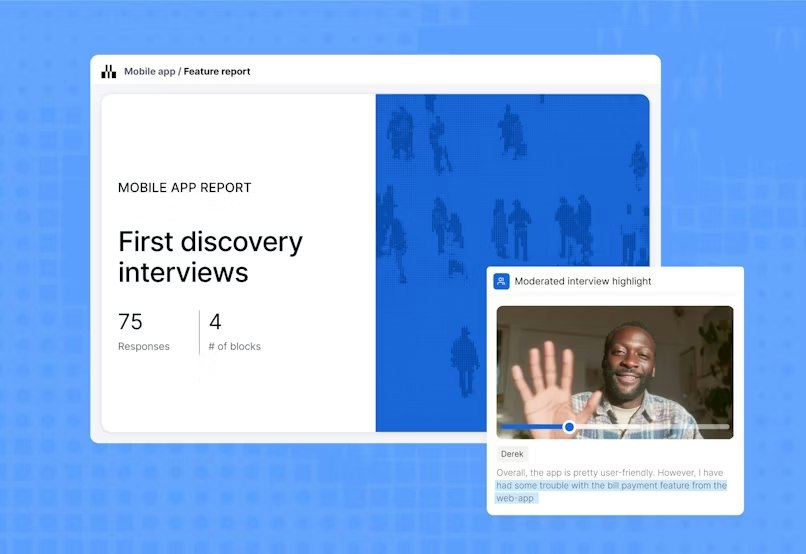
Maze is an AI-first end-to-end user research and testing platform for moderated and unmoderated studies. You can run researcher-led and AI-moderated interviews, surveys, prototype tests, live website testing, mobile testing, card sorting, and tree testing in one platform.
Maze AI helps you move faster across the research workflow, from planning studies and generating follow-up questions to summarizing findings, identifying themes, and creating shareable reports.
Maze also supports participant recruitment during research projects. The Maze panel gives you access to millions of participants with 400+ filters and coverage across 130+ countries for unmoderated research. For interviews, you can access millions of B2B and B2C participants across 150+ countries, with custom screening to improve participant quality. You can also use in-product prompts to recruit active users directly inside your product.

Pros and cons
Pros | Cons |
|---|---|
Maze supports AI-moderated interviews, AI follow-up questions, automatic transcription, theme detection, sentiment analysis, and insight summaries. | Custom pricing requires a conversation, which can make it harder for teams to estimate costs and compare options early in the evaluation process. |
You can run moderated and unmoderated studies, prototype tests, live website tests, mobile testing, surveys, card sorting, and tree testing in one platform. | |
Clips let you capture audio, video, and screen recordings from individual sessions, making it easier to show user interactions and pain points. | |
Automated custom reports help you tailor and download metrics like engagement, conversion, satisfaction, usability scores, heatmaps, and path analysis. | |
Ample integrations with tools like Figma, Slack, and Amplitude, so you can connect research with design, collaboration, and analytics workflows. | |
Connects with AI prototyping tools like Figma Make, Bolt, Replit, and Lovable, making it easier to test AI-generated prototypes before investing in full build cycles. |
Pricing
Maze offers two pricing plans:
Free | Enterprise |
|---|---|
$0/month | Custom |
|
|
Maze vs. Userlytics
Choose Maze over Userlytics if your team runs research frequently and needs to move from study setup to insight sharing quickly. Maze combines AI-moderated interviews, prototype and mobile testing, flexible recruitment, and automated reporting in one workflow. Userlytics may be a better fit for enterprise teams running tests centered solely on video feedback and post-study analysis.
The verdict: Opt for Maze if your team wants comprehensive research options without complex setup, speedy post-study analysis, and a simple way to share findings with product, design, and leadership.


2. UserTesting: Enterprise-scale human insight
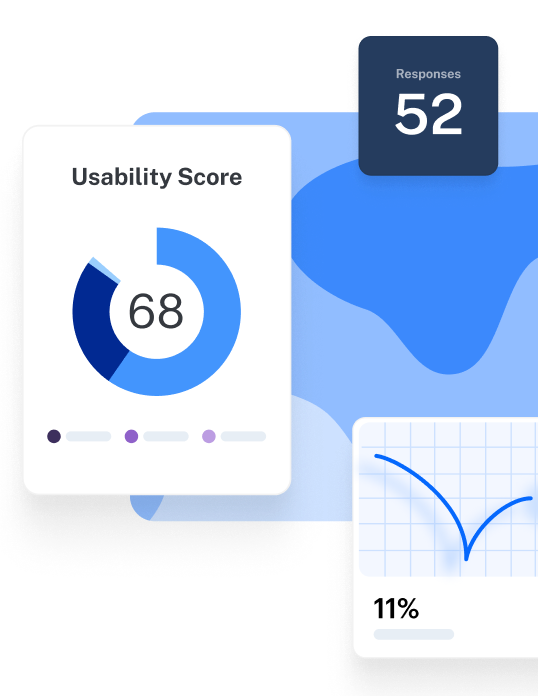
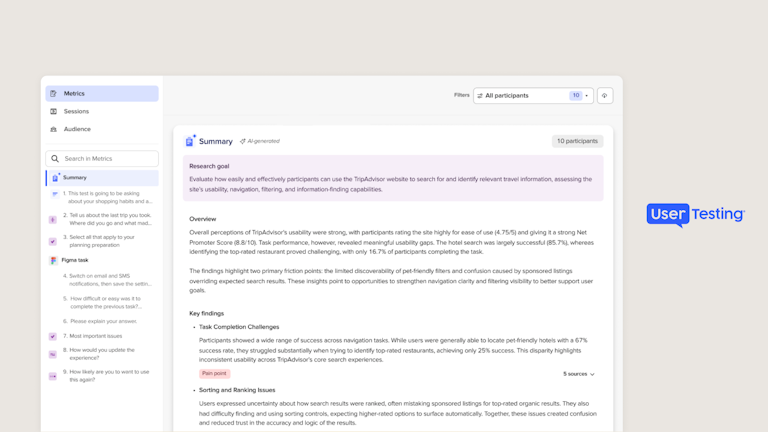
UserTesting is built for enterprise teams that need a large verified participant network, AI-assisted research workflows, and expert support. Its AI features help with test creation, insight summaries, report summaries, sentiment analysis, keyword maps, click maps, and path flows.
You can use it for prototype testing, concept validation, think-aloud research, usability testing, and accessibility checks. Its participant network includes 7M authenticated participants across 34 countries, with access to specialist B2B audiences like doctors, developers, and financial analysts.

Pros and cons
Pros | Cons |
|---|---|
Has a large participant network, including specialist B2B audiences. Its network includes 7M authenticated participants across 34 countries. | Can be expensive, especially for smaller teams or teams that need frequent tests with larger participant samples. |
Offers fast video feedback. Teams can watch people interact with products, prototypes, websites, and mobile apps. | Doesn’t have an AI moderator for automated moderated interviews. |
Transcripts and highlight reels help teams review sessions and share findings more easily. | UserTesting research participants often sign up to give insights as a ‘side hustle’. This can mean you’re getting insights from participants that are actively trying to access tests, and don’t actually fit the profile you’re looking for. |
Pricing
UserTesting doesn’t publish pricing on its website. You’ll need to contact their sales team for an exact quote.
Userlytics vs. UserTesting
Userlytics and UserTesting are both enterprise-oriented user research tools. Userlytics offers a broader mix of UX testing methods, while UserTesting focuses more on enterprise-scale participant recruitment and video-based insight analysis.
UserTesting offers 7M authenticated participants across 34 countries. It also includes AI-supported analysis features like insight summaries, keyword maps, click maps, path flows, sentiment analysis, and highlight reels.
The verdict: If you’re a larger company with a budget to match and the capacity to run larger-scale tests, opt for UserTesting over Userlytics because of its advanced functionality. However, it’s important to note that organizations of all sizes can get more for their money by looking at some of the other options on this list.
💡 Need enterprise-level research, but not enterprise-level complexity? Compare Maze vs. UserTesting to find the right fit for your team’s research pace, workflow, and reporting needs.
3. Lyssna: Fast, lightweight usability testing
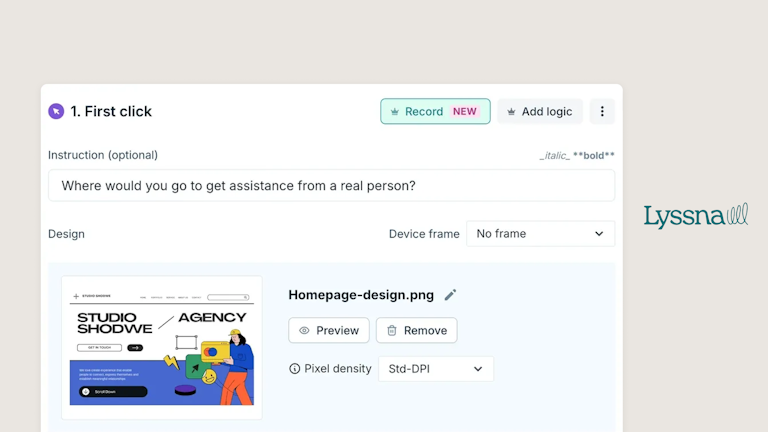
Lyssna is a user research platform for teams that need quick feedback on designs, websites, messaging, and information architecture. You can run card sorting, first click tests, five-second tests, interviews, live website tests, preference tests, prototype tests, surveys, and tree testing.
It also has a research panel with 690,000+ participants, 395+ targeting attributes, and coverage across 124 countries. Lyssna offers AI features, like AI summaries, AI follow-up questions for long-text responses, and AI writing support in the test builder.

Pros and cons
Pros | Cons |
|---|---|
Non-researchers can set up studies without a heavy learning curve. | Studies have strict participation rules. You can’t ask participants to download files, sign up, pay, or follow URLs inside instructions or survey questions. |
Built-in templates help teams avoid starting from scratch when creating common studies. | Remote testing can run into technical issues, including connection problems, device compatibility issues, or recording failures. |
Collaboration features like comments and mentions help teams work together during study setup and analysis. | Panel responses may include spammy or low-quality answers, so you may need to review, report, and replace poor responses. |
Supports self-recruitment and panel recruitment, so you can use your own audience or order participants. | Some methods have statistical limits. For example, statistical significance is only calculated for two-design tests, and chi-square tests need at least 50 participants. Figma prototype testing can be affected by Figma API rate limits unless you’re on Figma Professional or higher with the right seat type. |
Pricing
Free | Growth | Enterprise |
|---|---|---|
$0 | $199/month | Custom |
|
|
|
Userlytics vs. Lyssna
Userlytics and Lyssna both support UX testing methods like prototype testing, surveys, card sorting, tree testing, and participant recruitment. The main difference is fit: Userlytics is built for more structured, enterprise-oriented research, while Lyssna is better for quick, self-serve studies.
The verdict: Choose Lyssna if you want a lightweight Userlytics alternative for quick usability tests, surveys, and design validation.
💡 Compare Maze vs. Lyssna to see how both platforms handle prototype testing, interviews, recruitment, AI analysis, and reporting.
4. User Interviews (by UserTesting): For participant recruitment
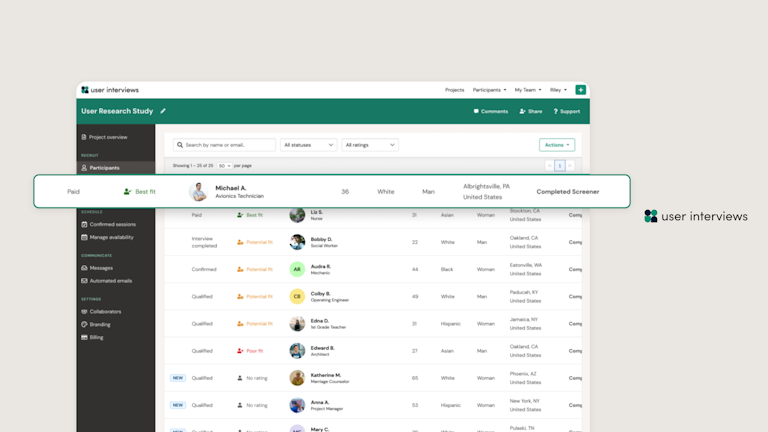
User Interviews, now a part of UserTesting, is a research recruitment platform for finding, screening, and managing participants. You can recruit from its research panel, build your own panel in Research Hub, or connect User Interviews with other research tools through integrations and APIs.
You can manage audience targeting, screener surveys, quotas, scheduling, incentives, opt-in forms, collaboration, reports, insights, and AI-assisted workflows from one platform.

Pros and cons
Pros | Cons |
|---|---|
Good for finding and screening research participants, including niche B2B and B2C audiences. | It’s not a complete user testing platform, so you’ll need separate tools to run usability tests, prototype tests, card sorting, or tree testing. |
Research Hub helps you build and manage your own participant panel. | Analysis features don’t give you detailed usability metrics, heatmaps, path analysis, or automated study reports. |
It offers integrations and APIs, so you can connect recruitment with the tools your team already uses. | Costs can rise if you run frequent studies, need hard-to-reach participants, or rely heavily on panel recruitment. |
Pricing
User Interviews offers separate pricing for Recruit and Research Hub.
Recruit plans:
Pay As You Go | Essential | Custom |
|---|---|---|
$49/session | $36/session | Custom |
Flexible number of sessions
| 60 or 150 sessions, billed annually Everything in Pay As You Go, plus:
| Starts at 250 sessions Everything in Essential, plus:
|
Research Hub plans:
Workflow | CRM |
|---|---|
Custom | Custom |
Workflow includes:
Paid add-ons:
| Everything in Workflow, plus:
Paid add-ons:
|
User Interviews vs Userlytics
User Interviews and Userlytics solve different problems. Userlytics is a broader UX testing platform, while User Interviews is focused on recruitment. It helps you find, screen, schedule, incentivize, and manage participants through Recruit and Research Hub. It’s a better fit if your main challenge is reaching the right people, not running the study itself.
The verdict: Choose User Interviews if participant recruitment is your biggest bottleneck. Choose an end-to-end research tool like Maze, Lyssna, or other testing tools in this list if you need built-in testing, analysis, and reporting.
5. Useberry: For prototype and website usability testing
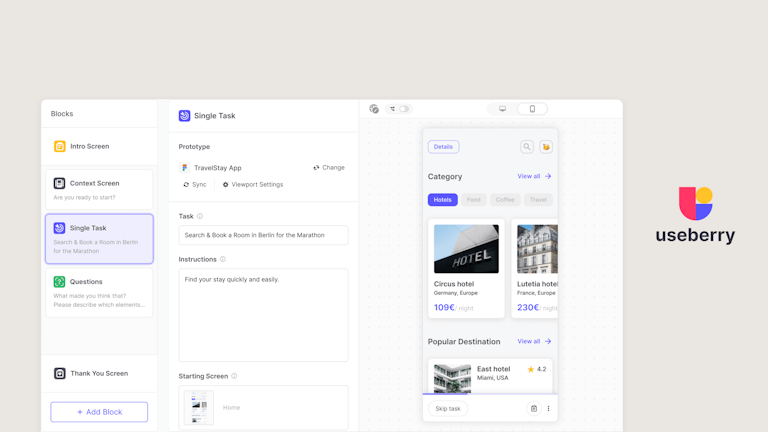
Useberry is a user testing platform for validating prototypes, websites, content, and user flows. You can run card sorting, tree testing, first click tests, five-second tests, preference tests, single-task tests, surveys, open analytics, and randomized task blocks.
It integrates with Figma, ProtoPie, and Sketch for prototype testing, and Prolific for participant recruitment. Useberry also offers AI features for interaction analysis, survey and sentiment summaries, and randomized A/B testing.
Pros and cons
Pros | Cons |
|---|---|
Easy to use for quick design validation, especially when teams need visual feedback without a complex research setup. | Doesn’t offer an AI moderator, so it’s not ideal if you want automated moderated interviews or AI-led follow-up questions. |
Works well for comparing design variations and spotting friction in specific flows. | Its integrations are limited compared with broader research platforms. It mainly connects with design tools like Figma, ProtoPie, and Sketch, plus Prolific for recruitment. |
Can randomize the order of usability tasks, questions, and grouped sections, or show each participant only a selected subset of them. | Less suited to moderated research, interview studies, participant management, or in-product feedback. |
Teams that need deeper reporting, research governance, or a CRM-like participant database may outgrow it. |
Pricing
Useberry offers three packages:
Free | Growth | Business | Enterprise |
|---|---|---|---|
€0 | €99/month | €799/month | Custom |
| All Free features, plus:
| All Growth features, plus:
| All Business features, plus:
|
Useberry vs. Userlytics
Userlytics and Useberry both support usability testing, prototype testing, surveys, card sorting, tree testing, and participant recruitment. Useberry is better for faster visual usability testing. It helps teams test prototypes, websites, user flows, clicks, and task performance without a heavy setup. Reporting is also more focused on behavior patterns, with recordings, highlights, click tracking, user flows, task times, and success rates.
The verdict: Choose Useberry if you want a simpler Userlytics alternative for prototype testing, website testing, and visual behavior analytics. Choose Userlytics, Maze, or another broader research platform if you need moderated interviews, participant management, and deeper research analysis in one place.
💡 Compare Maze vs. Useberry to see which platform better fits your research methods, AI needs, recruitment workflow, and reporting process.
6. UXtweak: For information architecture research
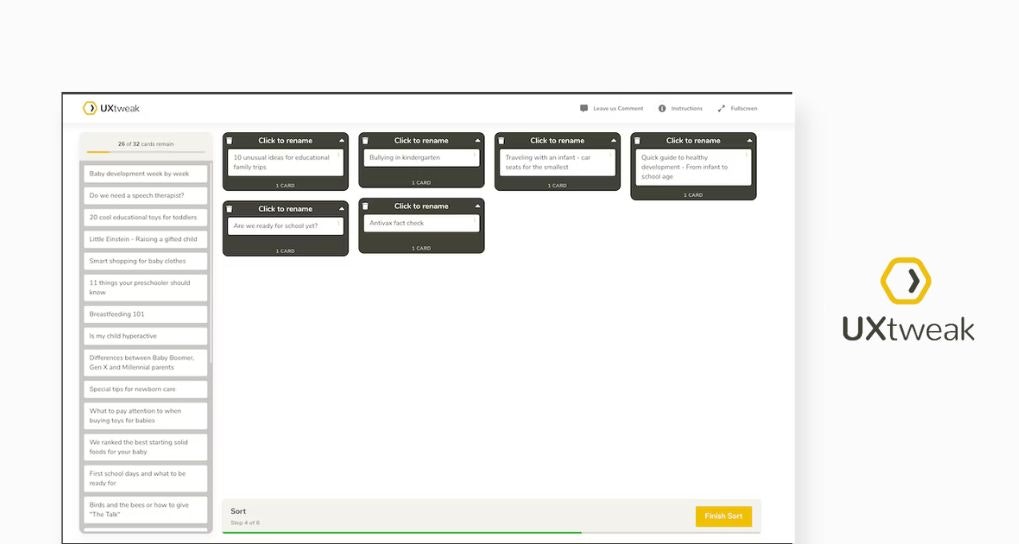
UXtweak is a product testing platform for moderated and unmoderated studies across websites, mobile apps, prototypes, and information architecture. It also supports participant recruitment through a user panel, onsite recruiting, and your own database. Its panel includes 2,000+ targeting attributes across 130+ countries. UXtweak also has AI features for live interviews, including automated summaries, research outlines, and transcript analysis.

Pros and cons
Pros | Cons |
|---|---|
Supports a wide mix of moderated and unmoderated research methods. | Does not offer an AI moderator, so it’s not the best fit if you want automated moderated interviews or AI-led probing. |
Integrates with tools like Figma, Google Drive, Microsoft OneDrive, Condens, Marvin, Dovetail, Notion, and Google Tag Manager. | Mobile app testing can add participant friction because users may need to install both the native app being tested and the UXtweak tester app. |
Survey logic may feel limited for complex studies that need advanced matrix routing, multi-condition skip logic, or dynamic text piping. | |
A/B testing may require more manual setup because UXtweak doesn’t offer a native, single-click A/B testing study template. |
Pricing
Free | Business | Custom |
|---|---|---|
$0 | $125/month for 1 user license | Individual pricing |
|
Add-on for purchase:
|
|
UXtweak vs Userlytics
UXtweak and Userlytics both support a wide range of UX research methods, including mobile testing, prototype testing, card sorting, tree testing, surveys, and participant recruitment.
Userlytics is better suited to teams that want enterprise user testing with video feedback, participant recruitment, AI UX analysis, sentiment analysis, and structured study support. UXtweak is better suited to teams that want to dig into usability and navigation issues across websites, apps, prototypes, and information architecture.
The verdict: UXtweak may be a good alternative to Userlytics if your team wants granular control over usability tests, website tests, mobile tests, and information architecture studies. But if you need AI moderation, automated reporting across more methods, or a more complete research workflow, Maze or another broader platform on this list may be a better fit.
7. Userfeel: For multilingual video usability testing
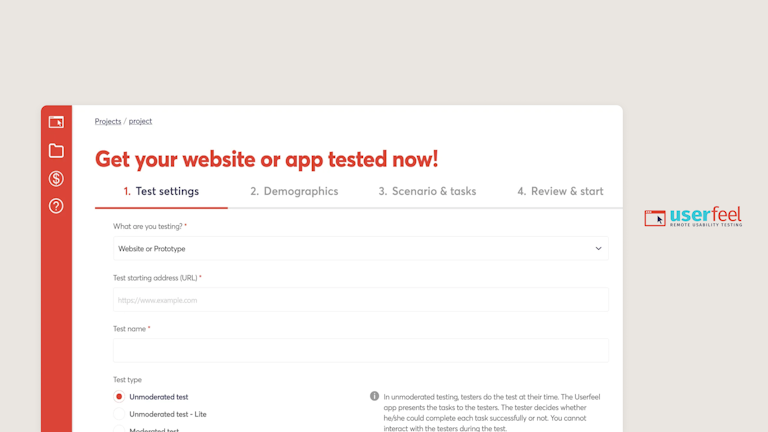
Userfeel is a usability testing platform for collecting video feedback. It supports moderated and unmoderated testing, card sorting, tree testing, surveys, and testing across desktop, mobile, tablet, and app experiences.
Uderfeel also offers a 7M+ tester panel, testing in 40+ languages, demographic filters, unlimited screener questions, and bring-your-own testers. Its AI features include an AI assistant for drafting tasks, AI session summary, AI sentiment analysis, and smart recommendations.

Pros and cons
Pros | Cons |
|---|---|
Useful for global research, with a large tester panel and support for 40+ languages. | Userfeel offers a replacement guarantee, but you still need to review poor sessions, report them, and wait for replacements. |
Video, audio, transcripts, and written answers give teams direct evidence from real users. | Unmoderated test lengths are tied to fixed session limits, such as 20, 40, or 60 minutes. |
Credit management can be confusing across different teams, projects, or internal budgets. | |
Doesn’t have a native integrations marketplace for tools like Figma, Jira, Trello, or Slack. Sharing findings may require exports or shared links. | |
Doesn’t offer advanced behavioral analytics like automatic clickmaps, scroll heatmaps, or user journey flow charts. |
Pricing
Userfeel prices research in credits rather than by individual test. A standard 20-minute unmoderated panel session uses 1 credit, while longer sessions or methods like moderated tests, surveys, card sorts, and tree tests use more.
Free | Solo | Team | Enterprise | Custom |
|---|---|---|---|---|
$0 | $3,000/year | $5,500/year | $15,000/year | Custom pricing |
|
|
|
|
|
Userfeel vs Userlytics
Userfeel and Userlytics both support moderated and unmoderated testing, participant recruitment, surveys, card sorting, tree testing, and AI-assisted analysis. The main difference is focus. Userfeel is more centered on video-based usability testing, multilingual studies, and flexible test credits. Userlytics is more enterprise-oriented, with a broader research setup for structured studies, project-based testing, and larger research programs.
The verdict: Opt for Userfeel when your priority is fast, video-based feedback across languages and markets. But if you need broader research methods, AI moderation, participant management, or automated reporting across studies, an end-to-end user research platform may be a better fit.
What should you look for in a Userlytics alternative?
The right Userlytics alternative depends on how your team runs research. Here’s what to compare before choosing a platform:
Breadth of research methods
Look for a platform that supports the methods your team uses most often, without forcing you to stitch together several tools.
This likely includes:
- Surveys
- Prototype testing
- AI-moderated interviews
- Card sorting and tree testing
- Live website and mobile testing
- First click and five-second testing
- Moderated and unmoderated testing
AI across the research workflow
You want AI capabilities that span your entire research workflow, not parts of it.
Look for AI capabilities that support:
- AI moderation
- Transcription
- Study planning
- Theme detection
- Automated reports
- Insight summaries
- Sentiment analysis
- Question quality checks
- Automated follow-up questions
Some tools only use AI analysis after a study is complete. That can still help, but it won’t reduce admin across the full research process.
Participant recruitment and management
Good research depends on getting the right participants. Compare how each platform helps you find, screen, and reuse research audiences.
Check for:
- Targeting filters
- Time to first match
- Screener questions
- In-product recruitment
- Participant quality controls
- Panel size and country coverage
- Bring-your-own-participant options
- Participant management or CRM-like tools
Figma and product workflow integrations
If your team designs in Figma, check how prototype testing works. Some tools support Figma through shared links. Others offer a more connected workflow.
Also check for integrations with:
- Design tools
- Analytics tools
- Collaboration tools
- AI prototyping tools
- Video conferencing tools
- Calendar and scheduling tools
The best research tool should fit into how your team already works.
Reporting that helps teams act in the right direction
Research reports should help product, design, and leadership teams understand what works and what to do next.
Look for reporting metrics like:
- Misclicks
- Heatmaps
- AI summaries
- Path analysis
- Success rates
- Themes and sentiment
- Clips and highlight reels
Beyond this, you also want to make sure reports are customizable and shareable to facilitate easy next steps.
Which is the best alternative to Userlytics?
The right user research tool should help product teams collect high-quality user feedback, understand user behavior, spot usability issues, and share insights to win stakeholder buy-in.
- Choose Maze if you want an all-in-one, AI-first research platform for modern product and design teams. Maze supports AI-moderated interviews, prototype testing, live website and mobile testing, surveys, card sorting, tree testing, flexible recruitment, and automated reporting in one workflow.
- Choose UserTesting if you want access to one of the largest participant panels in user research.
- Choose Lyssna if you want a lightweight, cost-effective tool for quick usability tests, surveys, design validation, and information architecture research.
- Choose User Interviews if participant recruitment is your main bottleneck and you already have tools for testing, analysis, reporting, and note-taking.
- Choose Useberry if you need visual usability testing for prototypes, websites, clicks, flows, and task performance.
- Choose UXtweak if you want a specialist UX testing toolkit with detailed testing options for websites, apps, prototypes, and navigation studies.
- Choose Userfeel if you need multilingual video usability testing with flexible credits and a large tester panel.
For teams that want research to drive strategic decisions, Maze is a strong Userlytics alternative. Maze brings every method, every team, and every stage of research into one place, with research-grade AI that helps teams plan studies, run AI-moderated interviews, analyze findings, and create reports faster.
It also supports research democratization, helping researchers and people who do research (PWDR) collect user insights at the speed of product development.
For teams that want a clear path from user feedback to product optimization, Maze makes research part of everyday work.
Frequently asked questions about Userlytics alternatives
Why do people move away from Userlytics?
Why do people move away from Userlytics?
People move away from Userlytics—or opt for an alternative from the get-go—for a couple of reasons:
- There’s no free plan: Getting started requires a conversation with sales.
- AI is focused on post-study analysis: Userlytics offers AI UX analysis and sentiment analysis, but some teams want AI support for moderation, follow-up questions, study setup, and reporting.
- Setup can be too much for lightweight studies: Advanced logic, panel setup, video review, and multi-step reporting are useful for complex research but can slow down quick validation tests.
What is the main difference between Maze and Userlytics?
What is the main difference between Maze and Userlytics?
The main difference is where AI fits into the research workflow. Maze uses AI across more stages of research, from helping you build studies and improve questions to conducting AI-moderated interviews with follow-up questions, then summarizing responses, identifying themes, and supporting analysis and reporting.
In comparison, Userlytics brings AI in mainly after you’ve collected the research. Its AI tools help you analyze completed sessions through transcription, sentiment analysis, automated annotations, summaries, and theme detection.
What is the best Userlytics alternative for enterprise teams?
What is the best Userlytics alternative for enterprise teams?
For enterprise teams, Maze is the best Userlytics alternative if you want an AI-first, end-to-end platform. It supports moderated and unmoderated research, participant management, research-grade AI, automated reporting, and workflows that help both non-researchers and people who do research (PWDR) collect insights at the speed of product development.