









Chapter 4
How to recruit research participants: Panel vs. own users vs. external tools
Better research starts with better recruitment. Learn when to use panels, own users, or external tools for your next study.
TL;DR
The best way to recruit research participants depends on your research questions, your relationship to your users, your timeline, and the level of contextual depth you need.
- Panels for fast access to external audiences
- Sharing study links or in-product prompts to invite existing customers, product users, website visitors, newsletter subscribers, community members, or prospects
- External recruitment tools when you need niche, specialized, or hard-to-reach participants
An end-to-end user research platform like Maze enables recruitment via a comprehensive participant panel, shareable recruitment links, and in-product recruitment pop-ups. Complete with a suite of research methods and AI-powered capabilities, Maze makes recruiting participants, conducting research, analyzing data, and sharing insights simple.
The perfect research study is only as useful as the participants you recruit for it. If participants don’t reflect your target audience, even a well-planned study can send your team confidently in the wrong direction.
Each recruitment method has its own implications for your budget, your timeline, and, most importantly, the integrity of your data. In this guide, we break down when to use each source, where each one falls short, and how to choose the right recruitment method for your next study.
The three participant recruitment sources
Every successful research project starts with choosing the right recruitment source for your participants. Depending on your goals, you'll lean on one of these primary channels:
- Research panels: Use a verified participant panel when you need fast access to an external audience that matches specific demographic, behavioral, or professional criteria.
- Your own recruitment channels: Use your existing channels when you want to invite people your team can already reach, such as customers, product users, website visitors, newsletter subscribers, community members, or prospects. This can include:
- Sharing a study link through email, Slack, social media, or customer communities.
- In-product prompts to invite users directly from relevant pages or flows on your live website or browser-based product.
- External recruitment tools: Use specialized recruitment platforms, agencies, databases, or communities when you need niche, hard-to-reach, or highly specific participants. Once recruited, these participants can usually access your study through a study link.
Compare participant recruitment methods at a glance
Panel participant recruitment | Your own recruitment channels | External tool recruitment | |
|---|---|---|---|
Best for | Quick usability tests, concept tests, surveys, and studies that need participants outside your existing audience | Product feedback, customer research, post-launch research, and studies where you want to invite people your team can already reach | Niche recruiting, community outreach, low-cost recruitment strategies, and filling gaps in your participant pool |
Speed | Usually fast for broad audience criteria, such as role, age, location, or device type | Fast if you already have an engaged audience or relevant website traffic. Slower if you need to segment lists, send follow-ups, or manage scheduling | Varies depending on the tool, audience criteria, screening process, and scheduling support |
Participant fit | Works well when the screener clearly filters for the right behaviors, needs, or demographics | In-product prompts are especially useful when you want feedback from people on specific pages or flows | Good for when the tool or channel can reach highly specific roles, industries, behaviors, or communities |
Product or workflow context | High when participants are screened for relevant category, workflow, or problem-space experience. Lower when the study requires direct experience with your specific product | Usually high for existing users or customers, especially when they’re invited from the product, website, or customer channels they already use | It can be high if participants are selected for a specific workflow, role, or lived experience |
Audience reach | Useful for reaching participants across different demographics, regions, industries, or behaviors | Limited to the audiences your team can already access, such as customers, users, prospects, subscribers, communities, or website visitors | Useful for reaching people across specialist platforms, communities, forums, social media, partner networks, or recruiter databases |
Cost per participant | Predictable for generic audiences, higher for niche roles or strict eligibility criteria | Lower direct cost if you use owned channels or existing traffic, though incentives, outreach time, and participant management still add up | Varies by channel, incentive, tool, screener complexity, and no-show management |
Data ownership | You own the study results, but the panel provider manages the participant relationship. Your access to participant details depends on what’s collected in the screener, results, and provider workflow | Your team usually has the most direct access to participant records, contact details, consent, metadata, and follow-up | Depends on whether the tool gives your team access to participant records, consent data, and contact details |
Setup effort | Medium. You still need to define criteria, write screeners, estimate feasibility, and place the order. | Medium to high. Study links require audience segmentation and outreach, while in-product prompts require website setup, prompt configuration, and page or audience targeting. | Medium to high, depending on how much sourcing, screening, scheduling, and follow-up the tool handles |
Limitation | Not useful for questions that depend on direct product history, account behavior, churn, or long-term customer context | Limited by audience size, response rates, segmentation quality, website traffic, and consent or privacy requirements | Adds another workflow outside your research platform, and quality depends heavily on the source, screener, and recruitment process |
When to recruit participants from a research panel
Panels give you access to a pool of pre-vetted potential participants who can be filtered by criteria like role, demographic, location, device type, behaviors, or product category.
Panel recruitment is especially useful for when you need to:
- Understand individual flows and how users navigate them
- Compare design variations to understand which does a better job
- Evaluate whether new products are easy to understand and use
- Assess messaging and how it lands with different audiences
- Understand audience needs and preferences
The limitation when it comes to panel recruitment is product familiarity. Panel participants can be carefully selected for relevant roles, behaviors, demographics, or category experience, but they may not have direct experience with your product. That means panel recruitment is less suited to questions about customer churn, account history, power-user behavior, or how your product fits into an existing workflow over time.
Platforms like Prolific help teams find people who match specific profiles, behaviors, roles, or demographics, then route them into the study. Maze panel is powered by Prolific, so teams can access panel recruitment directly in Maze without having to manage a separate panel workflow.
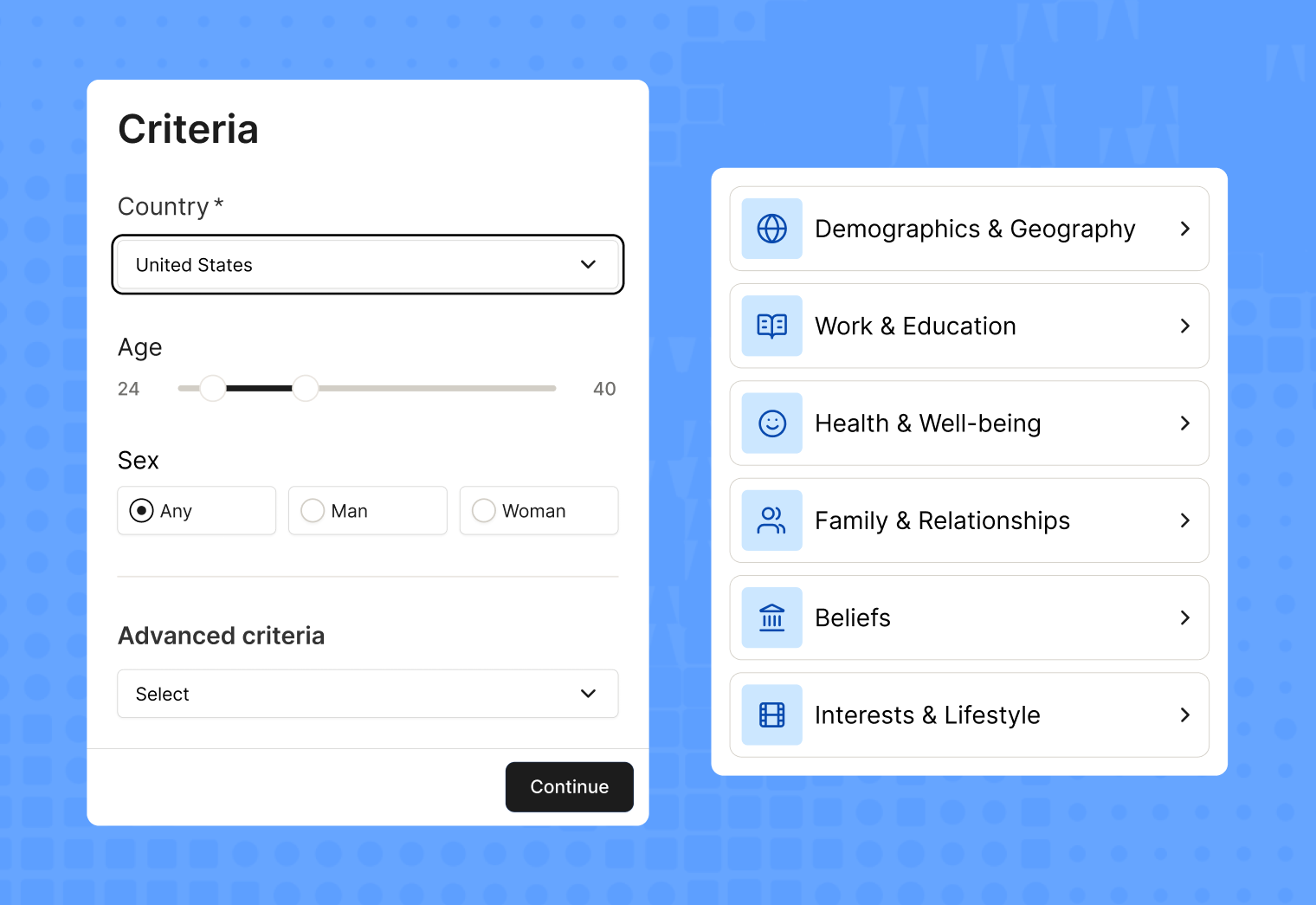
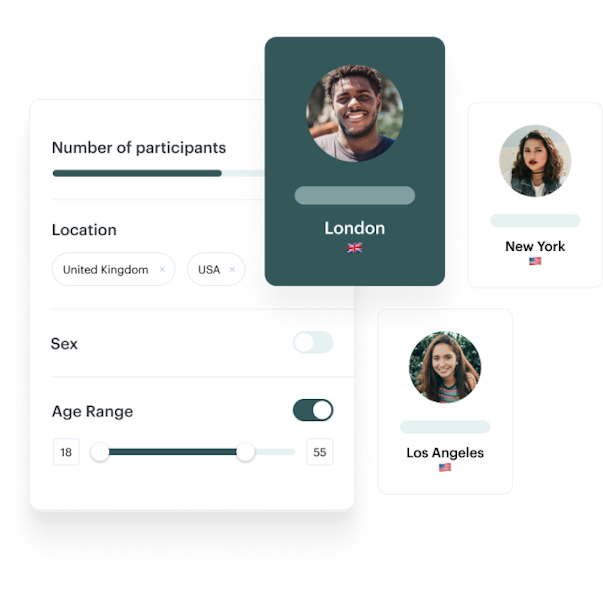
With Maze panel, teams can recruit from millions of B2B and B2C participants across 150+ countries. You can target participants with 400+ filters, then add custom screener questions to ensure participants match your study criteria.
Maze also lets you exclude past participants in the panel recruitment flow. When ordering participants, teams can choose to include repeat participants, exclude people who took studies in the same project, or exclude anyone who has previously participated in a study from the team.

When to recruit your own users in the research process
Recruiting your own users means inviting people who already have a relationship with your product or company to participate in your research studies. This can include active users, paying customers, trial users, churned customers, prospects, newsletter subscribers, or people in your CRM.
Own-user recruitment is especially useful for when you need to:
- Assess onboarding and why users drop off
- Investigate churn and downgrades
- Understand how users actually engage with your product
- Ascertain which features are used most and why
- Identify areas for improvement in your existing product experience
However, the limitation is reach. Your own user base may not include the audience you want to learn from next, especially if you’re entering a new market, testing an unfamiliar concept, or trying to understand non-customers. Existing users can also bring bias because they already know how your product works, what your brand promises, and where the workarounds are.
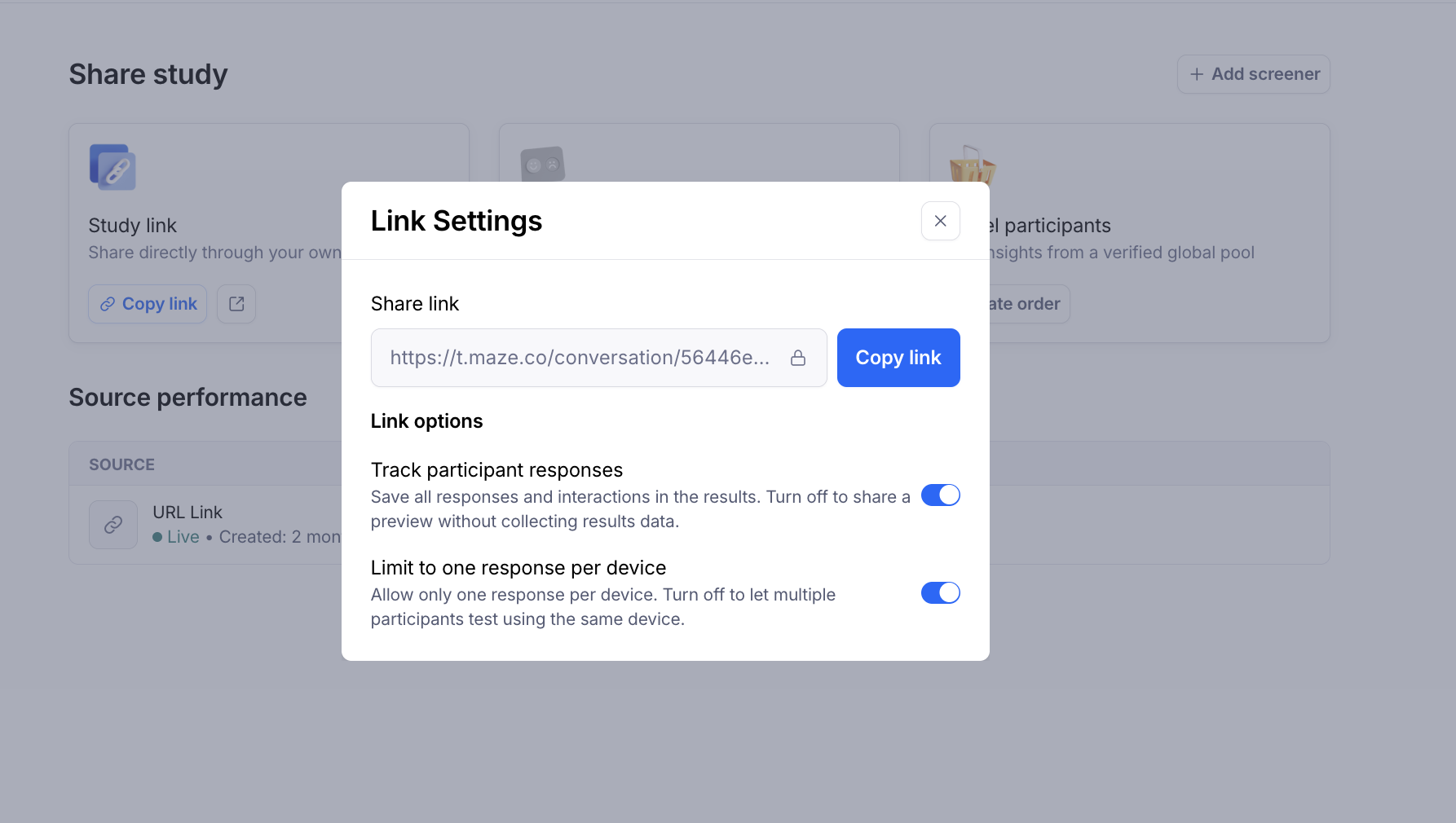
Maze supports own-user recruitment through study links and in-product prompts. With study links, teams can share a maze through the channels they already use to reach participants, such as email, Slack, social media, newsletters, customer communities, CRM lists, or third-party recruitment tools. This works well when you already know who you want to invite and need a flexible way to route them into the study.

With in-product prompts, teams can invite users directly from a live website or browser-based product. Prompts appear as popovers on selected pages, so you can ask for feedback when users are already interacting with a relevant feature, flow, or page. For example, you might trigger a prompt after someone visits a pricing page, completes onboarding, tries a new feature, or lands on a specific product area.
When to use external recruitment tools
External recruitment tools help you find participants outside your own user base and beyond a traditional research panel. There are many methods for recruiting UX research participants, such as from social media, LinkedIn, forums, professional communities, partnerships, market research platforms, or specialized participant recruitment tools.
External recruitment tools are a good fit when you need to:
- Support in-person research, focus groups, or field studies
- Run outreach for niche B2B roles or hard-to-reach audiences
- Test recruitment strategies outside your existing customer base
- Recruit participants from specific communities or professional groups
- Build partnerships with community centers, associations, or industry groups
- Limit recruitment costs by recruiting through LinkedIn, forums, or social media platforms
However, the limitation is effort. External recruitment often takes more time than using a panel because your team has to manage outreach, contact information, incentives, no-shows, informed consent, and response rates. It can be low-cost if you use owned channels or partnerships, but it usually requires more planning and coordination.
The case for combining sources: The open ecosystem approach
Relying on one participant recruitment method for every study can limit what you learn. Instead, a stronger option for participant recruitment is to combine sources.
That’s the idea behind an open ecosystem. It gives teams the flexibility to bring participants, tools, and workflows together without forcing every study into one closed process.
With Maze, teams can recruit from the Maze panel, share study links with participants from their own or external recruitment channels, and use in-product prompts to invite users from relevant pages or flows on a live website or browser-based product.
Maze offers integrations with the tools teams already use across design, product, analytics, calendars, video conferencing, and prototyping. So a team can test and validate AI prototypes built in tools like Bolt, Lovable, Replit, or Figma Make; run moderated interviews through video conferencing integrations; and share insights back into tools like Slack, Jira, Confluence, FigJam, Miro, or Notion.
Teams also need to connect prototypes, run the right research methods such as prototype testing, surveys, card sorting, tree testing, live website testing, and moderated or unmoderated studies, and turn data into actionable decisions.
Build a flexible participant recruitment process with Maze
Successful recruitment starts with matching the participant source to the research question. That means knowing whether you need first-time reactions from non-users, workflow feedback from existing customers, or a highly specific participant profile based on role, behavior, industry, location, or experience.
Maze helps teams turn that decision into action. You can recruit panel participants, invite people through study links, or use in-product prompts to reach users from relevant pages and flows on your live website or browser-based product. If you source participants through external recruitment channels, you can also bring them into your Maze study with a shareable link.
Whichever option you choose, participants flow into the same study experience, results dashboard, and reporting workflow. That means teams can compare responses, analyze findings, and share insights from one place.
Maze supports the complete research process from recruitment to decision-making: recruit the right participants, run research methods like prototype tests, surveys, card sorting, tree testing, live website tests, mobile tests, and AI-moderated interviews. Maze AI also helps teams move from feedback to findings with automated analysis, summaries, and reporting.
So whether you’re validating an early idea, testing a live experience, or collecting customer feedback, Maze helps you recruit, research, analyze, and share insights from one platform.
Streamline participant recruitment for rapid insights
With Maze, you can screen and recruit participants, manage your database, conduct studies, and analyze data for insights, all from one platform.


Frequently asked questions about how to recruit research participants
What's the difference between a research panel and recruiting your own users?
What's the difference between a research panel and recruiting your own users?
A research panel gives you access to external participants who match your study criteria, such as role, demographic, location, behavior, or device type. Recruiting your own users means inviting people who already have a relationship with your product, such as customers, trial users, prospects, or churned users.
When should I use a research panel instead of my own customers?
When should I use a research panel instead of my own customers?
Use a research panel when you need feedback from people outside your existing customer base, such as non-users, target-market participants, or first-time testers. Panels work well for concept testing, messaging validation, surveys, and early prototype testing.
Use your own customers when the question depends on product familiarity, usage history, or real workflows, such as onboarding drop-off, churn, feature usage, or improving an existing product experience.
What is first-party participant recruitment?
What is first-party participant recruitment?
First-party participant recruitment means sourcing participants from your own audience. This can include active users, paying customers, trial users, churned customers, prospects, newsletter subscribers, or contacts in your CRM. It’s useful when you need feedback from people who already understand your product, category, workflow, or customer experience.
Can I combine external panel participants with my own users in the same study?
Can I combine external panel participants with my own users in the same study?
Yes, you can combine participant sources in the same study, as long as you track where each response comes from.
In Maze, participants can enter a study through panel recruitment, study links, or in-product prompts. If you recruit participants through an external tool, you can invite them with a study link. All responses flow into the same study and results dashboard, so teams can analyze findings together and compare patterns by source when needed.